
How To Change Difficulty On Minecraft Bedrock

Quickly adjust your Minecraft Bedrock server difficulty with Kinetic Hosting! Follow these simple steps: stop your server, navigate to the Settings page, choose your desired difficulty from the dropdown, restart, and you're good to go. Easy!

Changing your difficulty on your Minecraft Bedrock server is quite an easy task to do, this guide will show you how to change the difficult of your Minecraft Bedrock Server.

1 Login to the Kinetic Panel

2 Stop your server.

3 Head to the Settings Page.
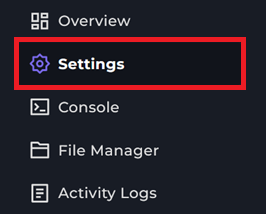
Settings Page

4 You will see a difficulty tab, you can click on the dropdown and you can change your servers difficulty

Settings Page

5 Start your server and the difficulty would've changed to what you set it to.

That is how you change your servers difficulty for Minecraft Bedrock.

Display and navigation

Accessibility options

Personalise how the website looks and how you move around it. Your choices are saved on this device.

High-contrast dark theme

Use black and dark backgrounds with white text and stronger borders throughout the site.

Keyboard link hints

Hold Shift to label visible links and controls. Keep holding Shift and type a label to activate it, or release Shift to close the labels.

Keyboard shortcuts

Ctrl+KOpen site search

ShiftShow link hints when enabled

Find your way around

Search Kinetic Hosting

Search site pages, game servers, knowledgebase articles, blog posts, FAQs and modpacks.

Enter at least two characters to search the site.