Change Server Name On Minecraft Bedrock
Last updated 08 Jun 2025
Need a game server?
Spin one up fast with our feature-rich panel and seriously low prices.
If you would like to change your Minecraft Bedrocks Server Name, this guide will show you how.
1 Login to the Kinetic Panel.
2 Stop your server.
3 Head to the Settings Page.
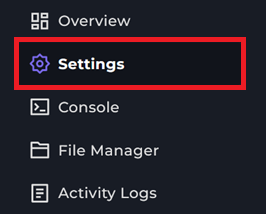
4 You will see a box that says "Server Name", you can edit this box to set your servers name.

5 From there, you can start your server & you will be good to go.
That is how you change your Minecraft Bedrocks Server name.