How To Reset Your Panel Password
Last updated 08 Feb 2026
Need a game server?
Spin one up fast with our feature-rich panel and seriously low prices.
If you have lost or forgotten your Game Panel password, this guide will be a simple way on how to reset your password.
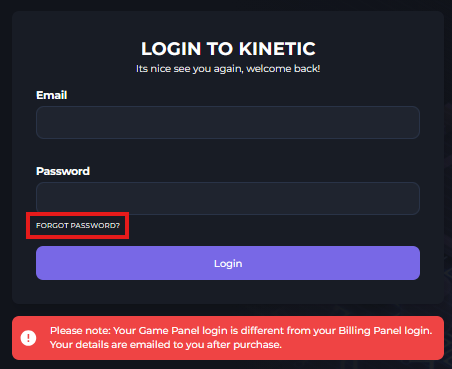
1. Login to the Kinetic Panel
2. Click the "Forgot Password?" button.
3. From there, you will enter your email address & click the "Send Email" button.
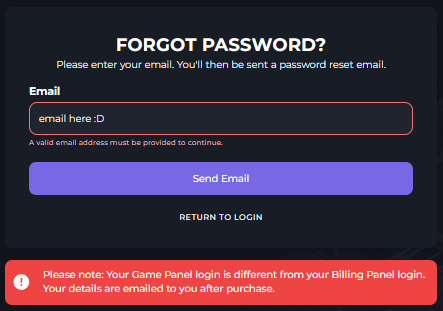
4. You will receive an email on how to reset your game panel password, follow that link & set your new password. (make sure to check your spam folders)
You should be logged in & good to go with your new password.