How To Change The Name Of Your KCD MP Server
Last updated 26 Sept 2026
Need a game server?
Spin one up fast with our feature-rich panel and seriously low prices.
How To Change The Name Of Your KCD:MP Server
Login to your Kinetic Panel.
Stop your server.
-1767383729764-optimized.webp)
Go to "File Manager".
-1770311095747-optimized.webp)
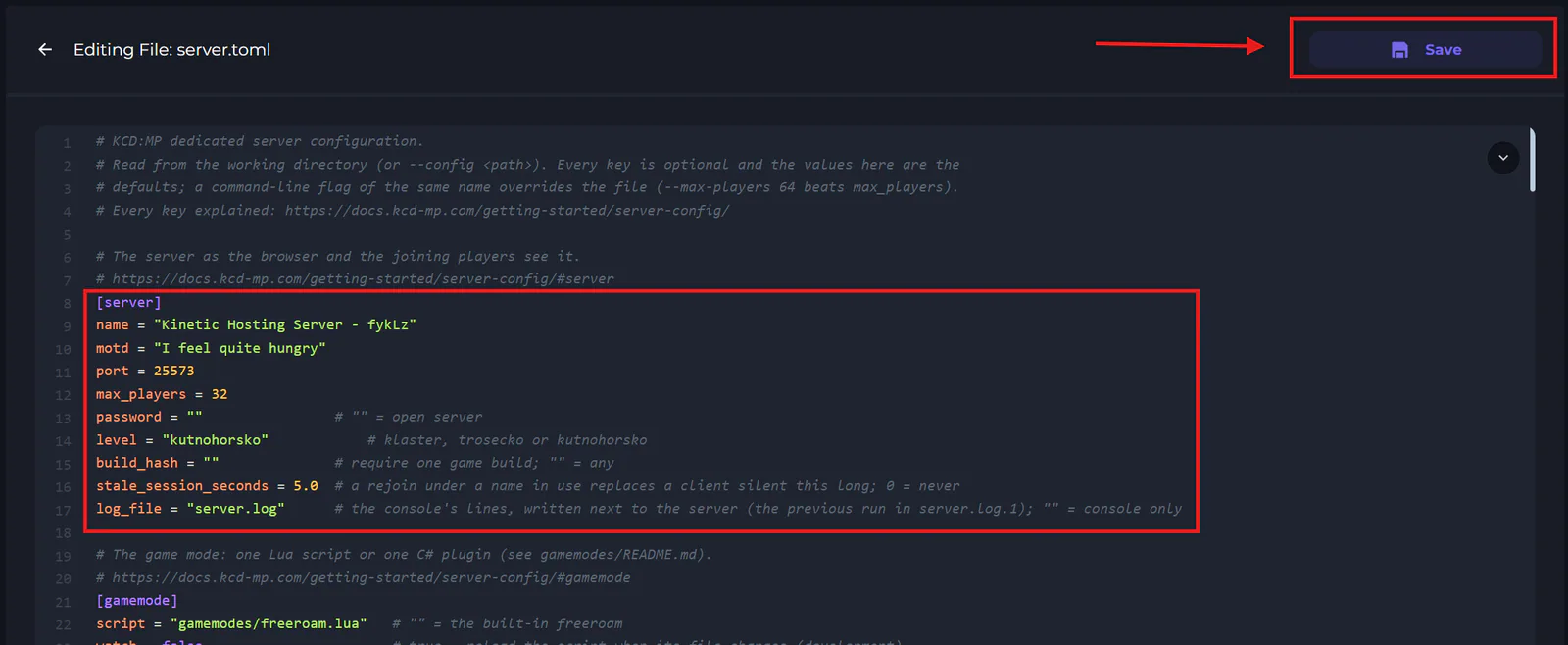
In file manager, scroll down till you see your server.toml file, and open it.

In this file, you will be able to change your server name, password, max players, motd, and a few other settings.
Once you've finished making your changes, click save.