How To Update Your Hytale Server And Change Release Branch
Last updated 07 Feb 2026
Need a game server?
Spin one up fast with our feature-rich panel and seriously low prices.
Updating your Hytale server
At the moment, Hytale servers will not automatically update. In order to update the server, you'd need to do so manually.
You may also find that there are two release branches for Hytale: Release, and pre-release. This guide will also show you how to set the release branch on your server.
Finding out what release branch your playing, and how to change your server release branch:
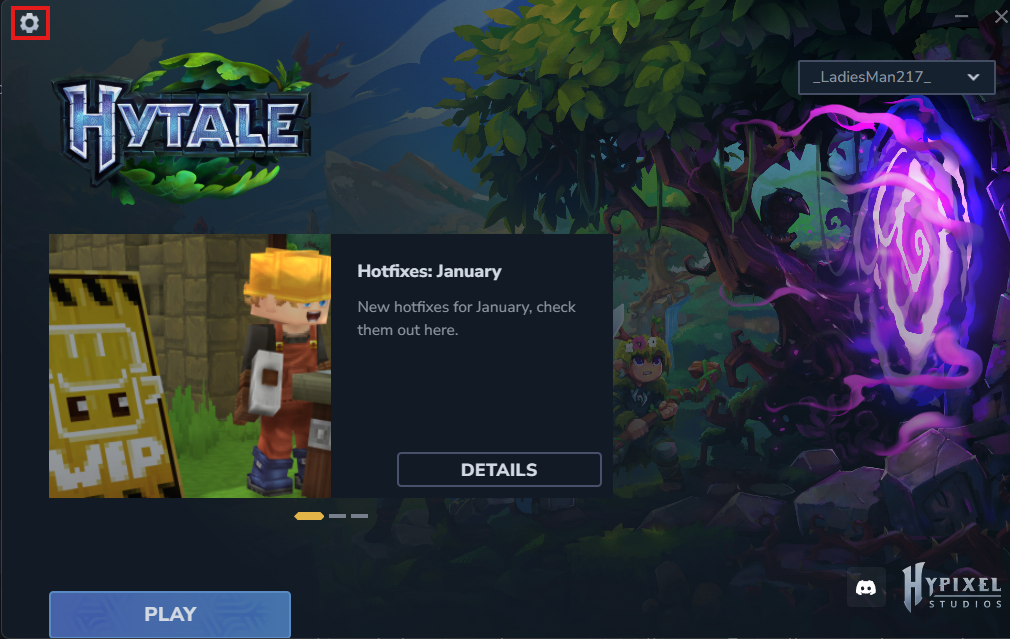
Open your Hytale launcher. You'll see a settings button on the top left of the launcher.
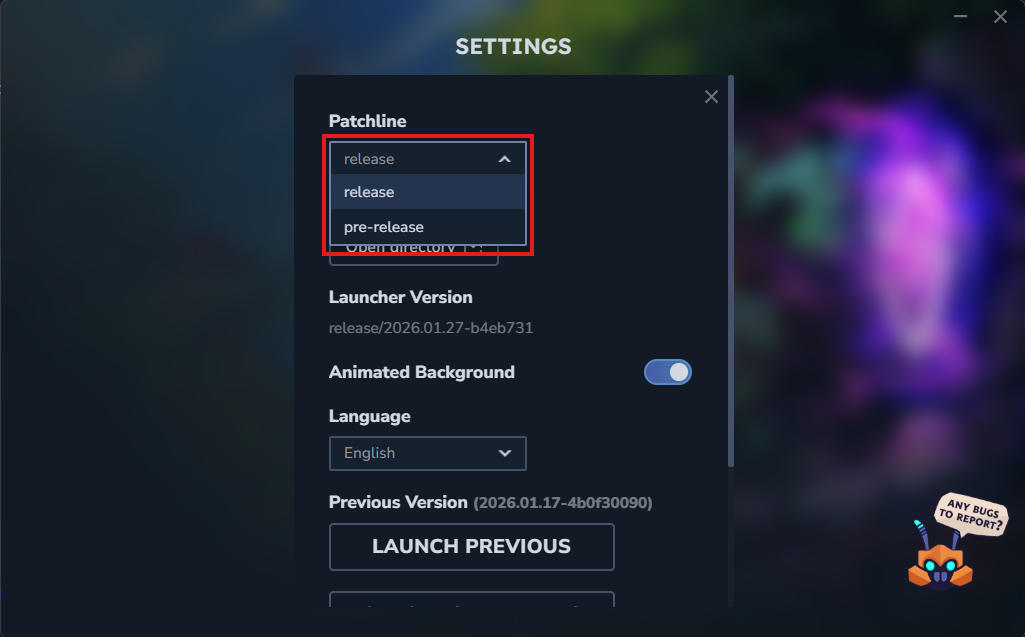
In the settings menu, you'll see a drop down menu for the patchline. You'll be able to select release, or pre-release. For this guide, we will be using the release version.
Login to your Kinetic Panel
Turn off your server by clicking the power icon, and then click the square icon. Make sure your server fully powers down.
-1767383729764.png)
Go to your settings menu on the left side of the screen.
-1770486781191.png)
In the release branch dropdown menu, you'll see "Release" and "Pre-release". For the purpose of the guide, we will be keeping the server on release. But if you wish to run pre-release, you'll need set this to "Pre-release".
-1769558816649.png)
Updating your Hytale server:
Now, on the top right of the screen, you'll see an update button to update your server. You'll need to click it.
-1769558840883.png)
You'll then be met with a menu asking you if you'd like to create an instance. We highly recommend you do this, as it enables you to roll back to your server to a previous instance in case something goes wrong. Once you've decided, you can click the update button.
noticeAn alternative to creating an instance is to create a backup instead. You can do this via the backup manager.-1769558866489.png)
Once the update is complete, you can start your server by clicking the power button, then click the play button.
-1767462125511.png)