How setup Autodownload Workshop Addons
Last updated 08 Aug 2025
Need a game server?
Spin one up fast with our feature-rich panel and seriously low prices.
1. Log in to the Kinetic Panel.
2. Go to the File Manager on the Kinetic Panel.

3. Navigate to garrysmod > lua > autorun > server and open the workshop.lua file.
4. Add a line for the addon you wish to include:
resource.AddWorkshop("id")
5. Save and start your server.


How to Find Addon IDs
1. Open the Workshop.
2. Click on the addon you wish to add.
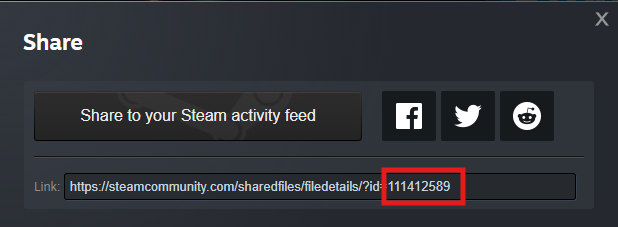
3. Click Share.
4. Copy the ID at the end of the link.