How to set a Password on an Enshrouded Server
Last updated 07 Jun 2025
Need a game server?
Spin one up fast with our feature-rich panel and seriously low prices.
Setting a password on your Enshrouded server can give your server an extra layer of secruity to prevent unwanted players from joining the server.
1 Login to the Kinetic Panel.
2 Stop the server.
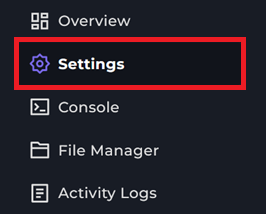
3 Navigate to the Settings page.
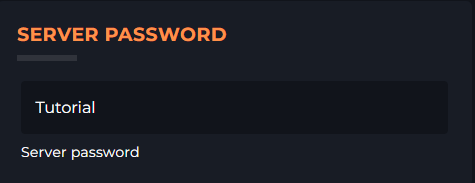
4 You can set your password within the SERVER PASSWORD box.
5 Now, Navigate to the File Manager.

6 Look for the file enshrouded_server.json and open it.
7 Inside of the file, you will see the password you have set on the Settings page & under that, you will see a randomly generated server password, in our case it's "test", you will want to replace that with the password you've set on the Settings page.
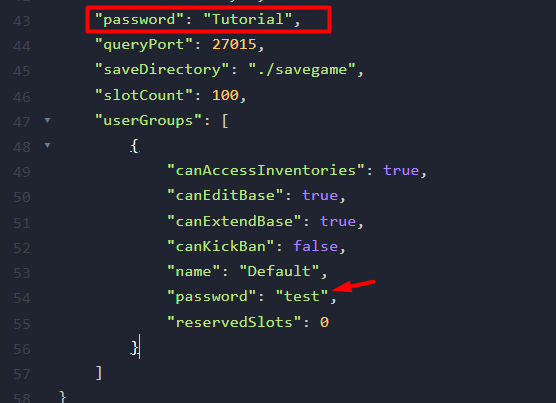
8 All you need to do now is Save the file & start your server! You can now join your Enshrouded server with the password.