
In this guide
Without DNSSEC enabled on your domain, attackers can spoof your domains DNS records and forward users to another IP. While this will only impact users using vulerable DNS resolvers, it should still be something you enable on your domain.
Like with all our guides, we'll be using CloudFlare as our DNS, if you're unsure how to set your domain with CloudFlare, please see our guide here
Enable DNSSEC
To able DNSSEC on CloudFlare. Login to your dashboard, and select your domain. In the lefthand menu look for DNS, then select settings. You'll see a page like this:
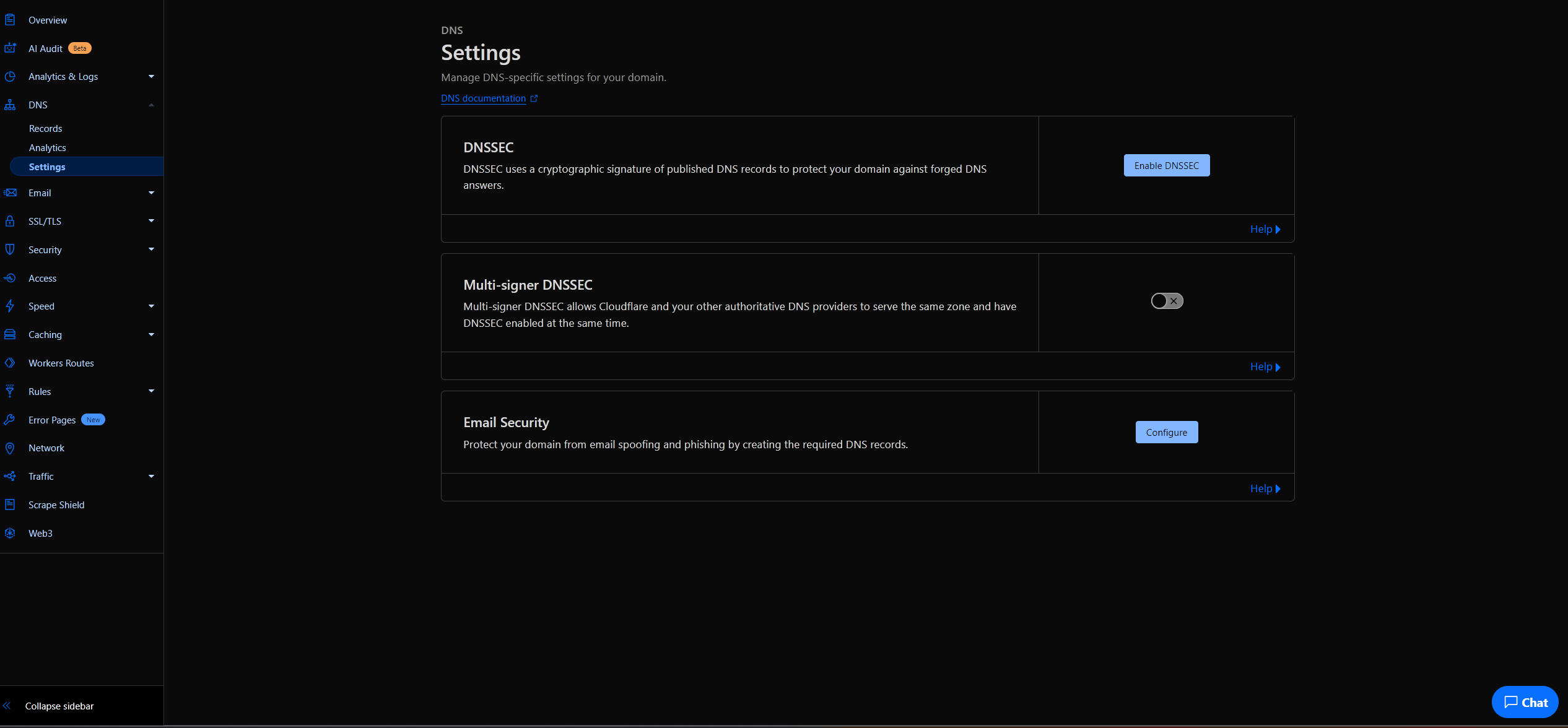
Press the button marked enable DNSSEC. This will give you info you need to put into your registrar.
Enable DNSSEC On Your Registrar
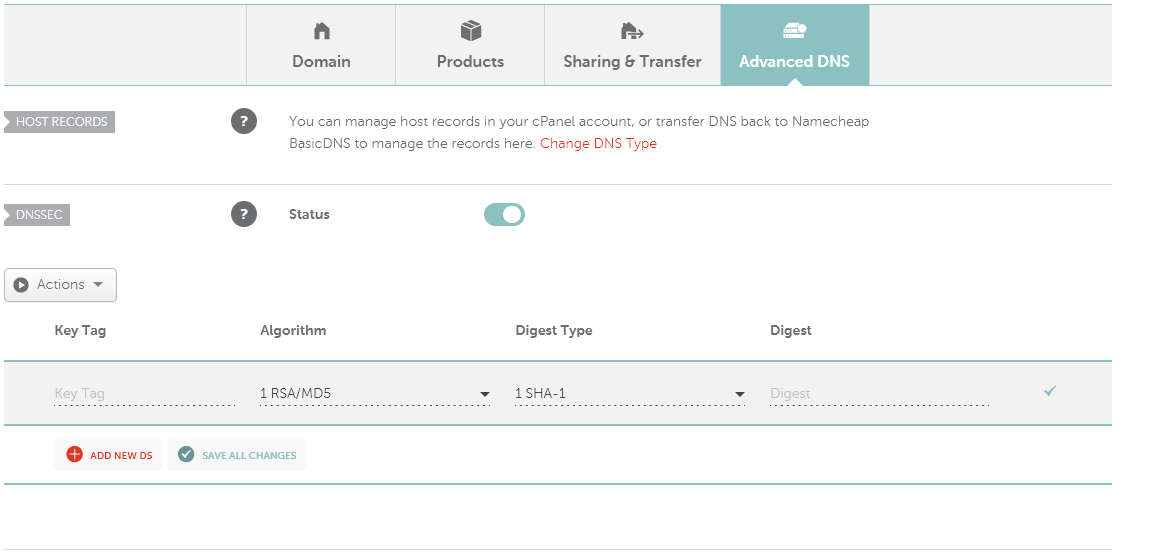
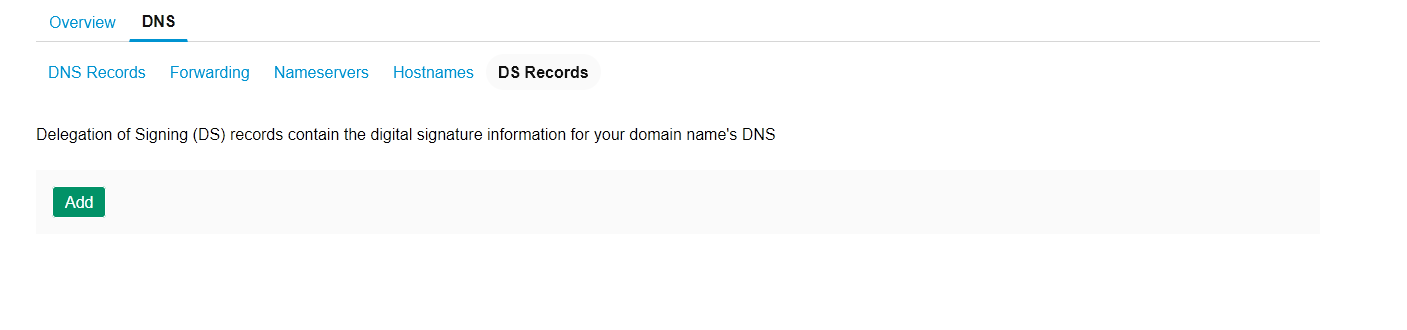
This will differ based on your chosen registrar, but the option should be in the same place for most providers. You'll need to first go to the DNS settings page. Here you'll need to look for the option DS or an DNSSEC option. Some registrar to make thing simple, just show a DNSSEC togge in the DNS settings.
Here is an example from NameCheap. You can see it has a DNSSEC togge under its DNS settings
Here is an example from 123reg. See under DNS they have DS records option
Once you've put in the requested info press save and close the DNSSEC modal on Cloudflare. You're all set, it might take up to an hour for the DS settings to update.