How to login as a Admin on a Dayz Server

Last updated 22 Aug 2025

Need a Dayz server?

Spin one up fast with our feature-rich panel and seriously low prices.

Setting an Admin Password

  1. Log in to the Kinetic panel.

  2. Stop the server.

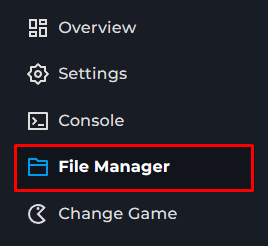
  3. Go to the file manager.

  4. Locate the serverDz.cfg.

  5. Find passwordAdmin = ""; .

  6. Change the password to the desired password.

  7. Save the file.

  8. Start the server.

Logging in as an Admin

  1. Join The Dayz Server.

  2. Open chat and type #login <password>

Kinetic Hosting Logo

Our goal at Kinetic is to offer genuinely helpful, human-powered support (no bots, no AI), combined with a feature-rich panel, powerful hardware, and prices that won’t break the bank.

Registered in England & Wales • Co. No. 11439987 • ICO No. ZA841955

Kinetic Hosting and the Kinetic Hosting logo are trademarks of Dapper Fox Group LTD. All other trademarks are the property of their respective owners.