How to join your Astroneer Server
Last updated 17 Dec 2025
Need a game server?
Spin one up fast with our feature-rich panel and seriously low prices.
Editing File
Open File Explorer
Paste this into the address bar
AppData\Local\Astro\Saved\Config\WindowsNoEditorOpen Engine.ini
Paste this at the bottom of the file
[SystemSettings]
net.AllowEncryption=False
Joining the Server.
Login to the Kinetic Panel.
Grab the server ip.

Click on Server List.

Add a Dedicated Server.
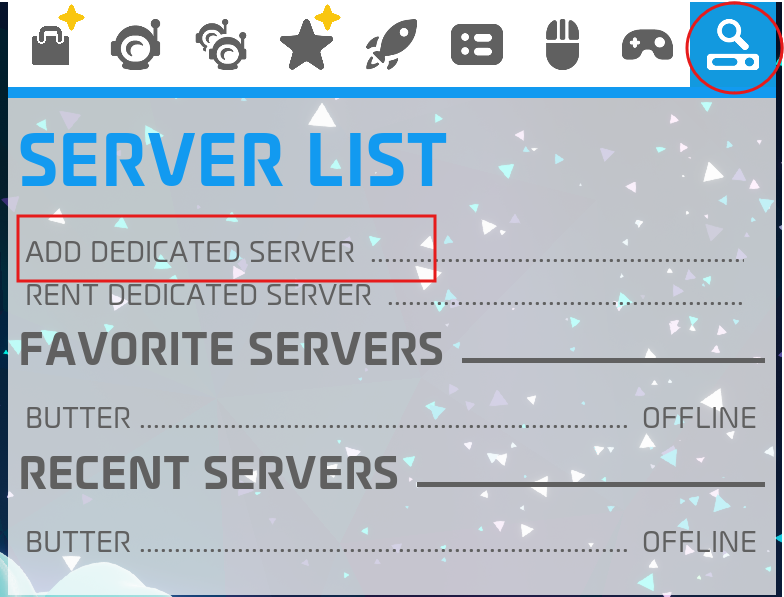
Enter the IP & give the server a name.
Click Add.
warningSome times you need to re start your client