
Log in to Kinetic Panel.
Stop the server.

Go to File Manager.
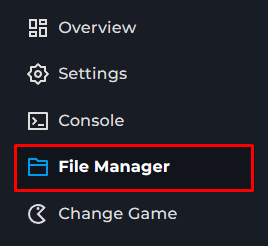
Open .local > share > American Truck Simulator > server_config.sii
Locate moderator_list:
Enter the Steam64ID of the user; multiple IDs may be added, separated by commas.
Save.
Start the server.

American Truck Simulator guide
How to add moderators to your American Truck Simulator Server
This guide walks you through adding a moderator to your server. These can then assist in the moderation of your server