How To Change The Difficulty Of Your Abiotic Factor Server
Last updated 17 Aug 2025
Need a game server?
Spin one up fast with our feature-rich panel and seriously low prices.
Abiotic Factor server owners may wish to change the difficulty of their server to wither increase or decrease the challenge of their playthrough. One of the most impactful changes that cen be made is to the enemy difficulty.
Available Settings
Below you can find all of the available enemy difficulty settings along with a description and a range of available values.
Option | Description | Value Range |
|---|---|---|
GameDifficulty | Adjusts enemy aggression, combat reaction speed, and spawn density. | 1 Normal, 2 Hard, 3 Apocalyptic |
EnemySpawnRate | Controls how frequently enemies respawn. Higher values mean faster respawns. | 0.5 - 3.0 |
EnemyHealthMultiplier | Adjusts enemy health. Lower values make enemies easier to kill. | 0.75 - 3.0 |
EnemyPlayerDamageMultiplier | Modifies the damage enemies deal to players. | 0.25 - 3.0 |
EnemyDeployableDamageMultiplier | Adjusts how much damage enemies deal to deployable structures. | 0.1 - 5.0 |
DetectionSpeedMultiplier | Determines how quickly enemies detect players. Higher values make enemies more alert. | 0.1 - 3.0 |
Changing Server Difficulty
Login to the Kinetic Panel and Stop your server.
Go to the File Manager.

Go to
AbioticFactor > Saved > SandboxSettings.ini.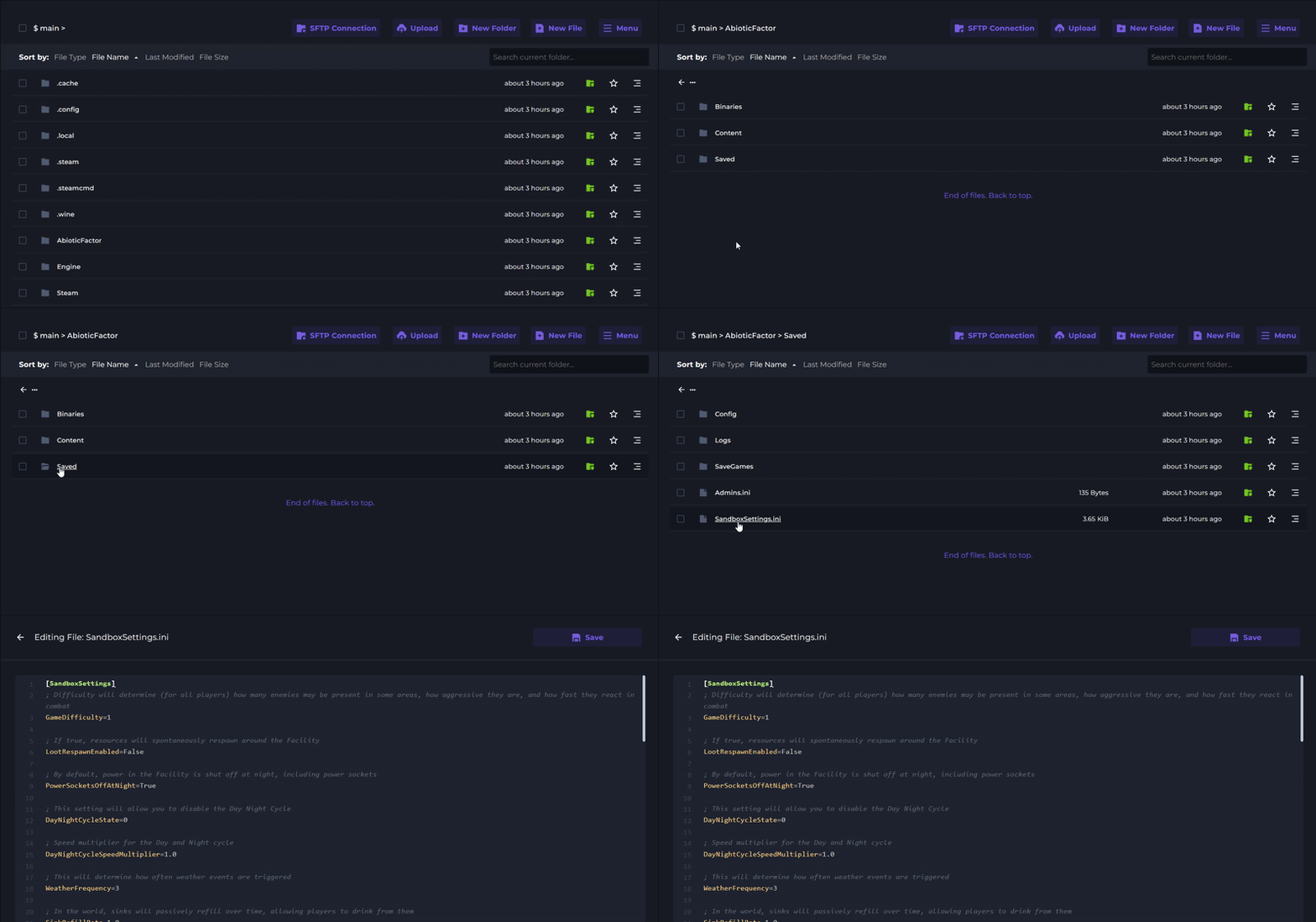
Locate your desired setting from the table above and set your chosen value.
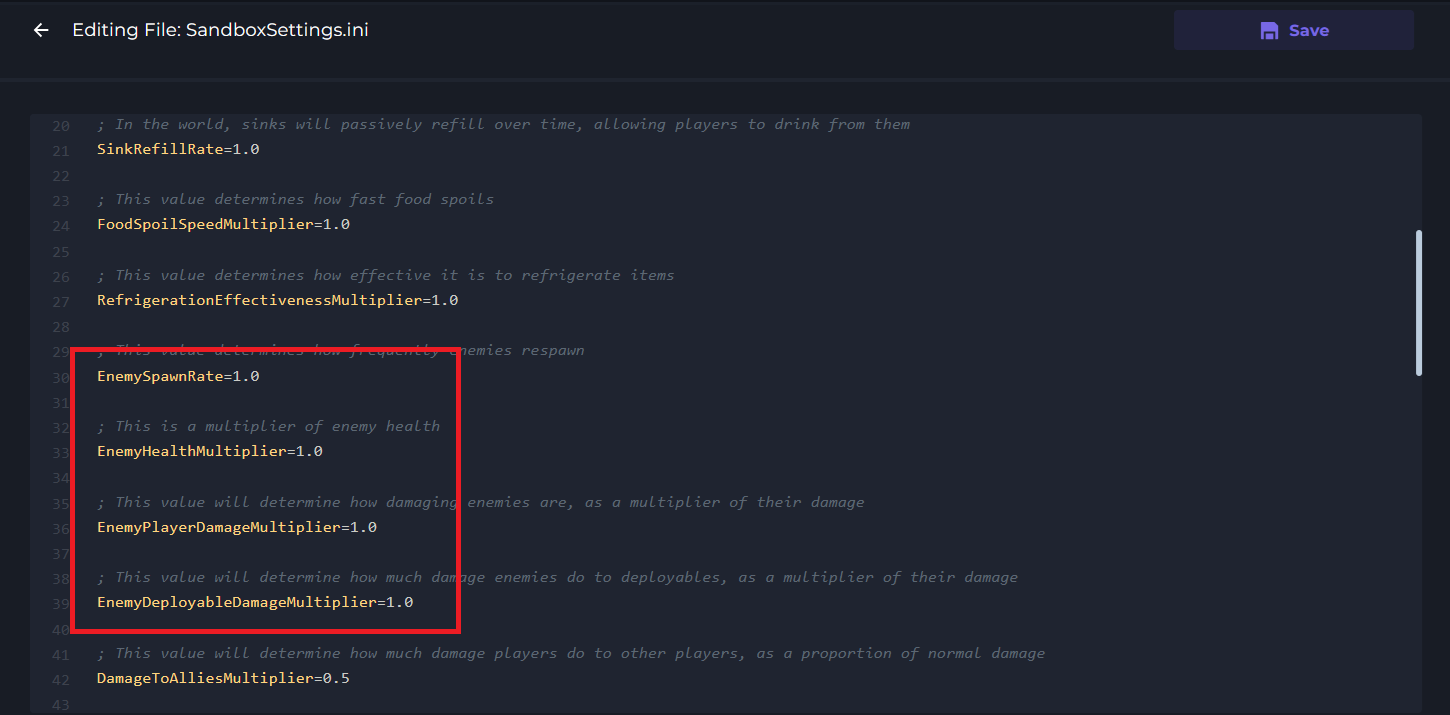
Save and Start your server to apply the new difficulty.