In this article
Thank you so, so much to everyone who filled out the feedback form. This is the most replies we’ve ever had on one of our forms, so it’s taken us a bit of time to properly dig in and read everything. Now that the form is closed, I can say that I’ve personally read every single response.
In this post, we’ll dig into the things people want to see changed or improved about Kinetic, and what updates are coming over the next few months to address them.
Before that though, I just want to say thank you.
The feedback was overwhelmingly positive. On the “Out of 10, how would you rate Kinetic?” question, over 75% of you rated us a 9 or above, only 0.4% rated us a 5, and no one rated us below a 5.
It was genuinely really cool to read all the positive things you had to say about Kinetic as a whole, the panel, the platform, and the team. It’s reassuring to know we’re moving in the right direction.
Common Issues
We’ve already rolled out Panel 6.7 and 6.8 with changes based directly on your feedback, and 6.9 is on the way very soon.
Navigation
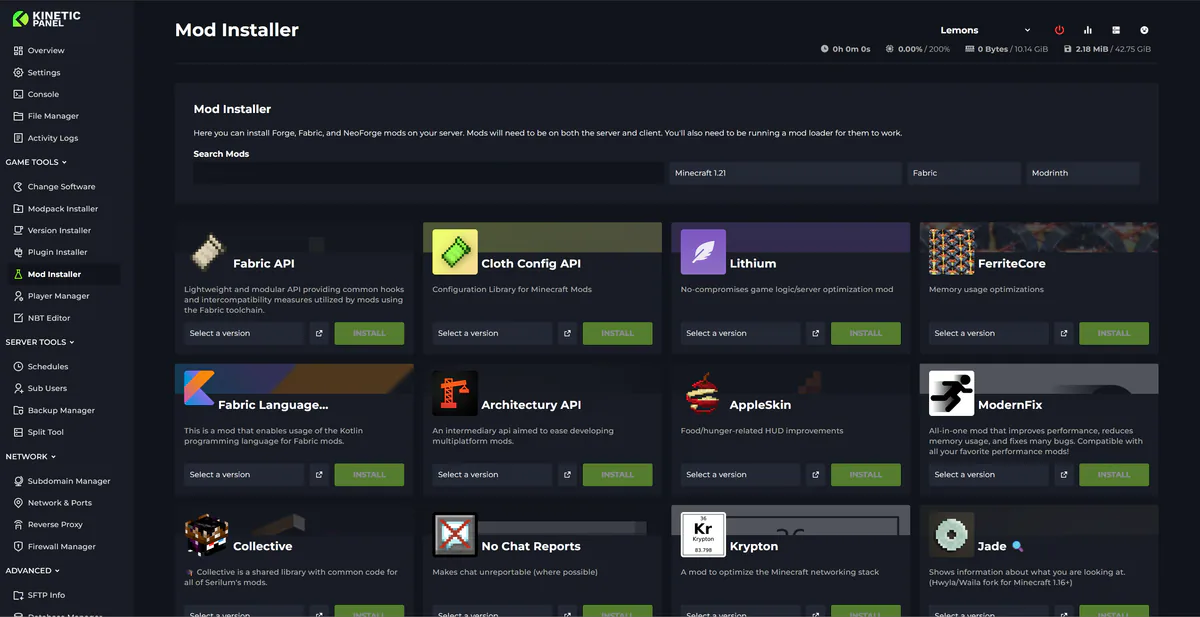
By far the most common issue was that there’s too much stuff in the panel. While new features are always welcome, at the moment they’re all listed in the left-hand menu. This can lead to a bit of a mess - even I get lost sometimes, and I made the UI :D
The original idea behind listing everything in the sidebar was visibility. People don’t always click around, so we wanted you to be able to quickly see what your server can do. But as Panel 6 (and beyond) has grown, that approach has clearly started to work against us. The sidebar has become very cluttered.
In Panel 6.9, we’re fully reworking the sidebar:
Reordering items to make things clearer
Grouping related features together
Introducing new sub-categories so it’s easier to find what you’re looking for
For example, instead of having Modpack Installer, Plugin Installer, Mod Installer, World Installer, Datapack Installer, and Modpack Importer all sitting separately in the sidebar, they’re now folded into a single Installers section.
Mobile Issues
Another common issue was mobile support.
We’ve already taken steps over the last few updates to improve mobile usability, and we do have a mobile app planned on our roadmap. There’s no ETA yet, but it is something we’re actively working towards.
In 6.9, you’ll see improvements to the sidebar on mobile to make navigation simpler, along with other UI tweaks to improve usability. Mobile improvements will continue to roll out across future updates as well.
Slow Panel
Some of you mentioned that the panel has felt slow.
One of the main reasons for this over the last few months has simply been growth. There are way more people hitting the panel every day now, and our poor little panel server couldn’t quite keep up.
We’ve been upgrading infrastructure and rolling out panel optimisations to reduce load. The panel is already noticeably faster than before, but there’s still more work to do.
Panel 6.8 included some fairly big performance improvements, and performance will continue to be a focus going forward.
One major change coming soon is rolling the panel out to more locations. For example, if you’re currently in AUS or SG, you’re still hitting our NA panel. That extra latency doesn’t affect in-game performance, but it does make the panel feel slower. Local panels will help with that.
Storage Limits
Another big bit of feedback was storage limits.
You didn’t like them - so we removed them.
Servers now come with fair-use unlimited storage, for free. No more worrying about storage limits.
Performance Profiling
A lot of people asked for better tools to diagnose performance issues and work with Spark profiles.
We’ve already been working on a Server Health Check feature for a while now, and it should start rolling out over the next few panel updates. This will include tools to help dig into performance issues and work with Spark profiling data more easily.
Seeing More Files in the File Manager
Another request was the ability to see more than 250 files in the file manager.
That limit exists to prevent browsers from completely locking up. In 6.8, we added the ability to load additional batches of files. This hides the first 250 and loads the next 250 instead.
It’s not a perfect solution yet, but it does allow you to view all files in large directories without crashing your browser.
Better Mod Searching & Preserving Server Changes
This is another one we’ve already fixed in 6.8 thanks to your feedback.
Mod searching has been massively improved
Updating a modpack no longer removes extra files or custom config edits
Updating Mods / Plugins
Some people asked for fully automatic mod/plugin updates.
Personally, I don’t think auto-updating mods or plugins is a great idea (it’s a fantastic way to break servers). However, in 6.8, you can now:
See when a mod is outdated
Update it manually with a clear indicator
Lock Files
Based on feedback, Panel 6.7 introduced file locking.
Locked files:
Can’t be selected via mass-select
Can’t be deleted until unlocked
Stuff We Already Have
A few bits of feedback were actually features that already exist.
For example, folder uploads have been supported in the file manager for quite a while now. You can just drag and drop a folder directly into the file manager, give it a try.
We also saw feedback asking for help diagnosing crashes. Our Crash Manager was added back in 6.0, you can access it directly from the sidebar.
Knowledgebase Feedback
Overall feedback on the knowledgebase was good. The main issue raised was outdated articles in some areas. We’re actively working through these and getting them updated.
VPS & Web Hosting
We know many of you are interested in VPS and web hosting.
Our core goal is to be the best game server host possible, and we don’t want to shift focus away from game hosting until we’re truly happy with where it is.
Web hosting is on our roadmap, but there’s no ETA yet. There are a few other priorities we want to finish first. VPS hosting is something we do want to offer eventually, but it’s still a fair way off and not currently on the active roadmap.
Billing Panel
Thanks for all the feedback on the billing panel.
Our custom billing panel is getting close to internal beta testing, and it was really reassuring to see that most of the feedback you gave is already addressed in the new system. That tells us we’re heading in the right direction.
Overall Chatter About Kinetic
It’s honestly been amazing to read how much people are enjoying what we’re building. There were some incredibly kind comments about the team and the overall vibe of Kinetic.
There was one recurring concern though: the fear that Kinetic might one day “go corporate”.
It’s true, Kinetic has grown fast. We’ve gone from a team of 3 at the start of 2025 to 11 today. But we’re still very much Kinetic.
As long as I’m here as CEO, we’ll keep doing the dumb things - wizard stories in changelogs, Shermans, Cozy widgets, all of it. Those are the things that make Kinetic Kinetic, and we won’t forget what helped us stand out in the first place: pricing, panel features, and community vibe.
I completely understand the worry. You’ve found something you like, and you don’t want a bait-and-switch into just another generic host. That’s not our goal - and honestly, it’s something I’d hate just as much as you.
Keeping the team small, staying fast and agile, and building the best service possible is what Kinetic will always be about.
Once again, thank you everyone for filling out the form!
Chris
CEO @ Kinetic Hosting