How to add Custom Maps to your Over the Top WW1 Server
Last updated 07 Mar 2026
Need a game server?
Spin one up fast with our feature-rich panel and seriously low prices.
Open the Kinetic Panel
Stop the server.
-1767383729764.png)
Go to the settings page.
-1770311132720.png)
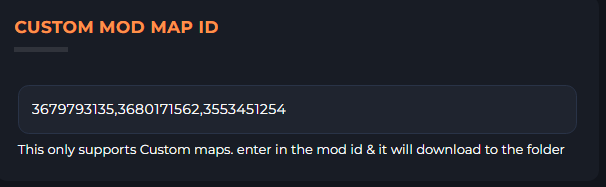
Locate the Custom Map box.
Open Steam Workshop.
Locate the mod that you wish to add
Click Share and copy the id.

Paste this id into the box.
Start the server. So it may download the map
-1767462125511.png)
Stop the server
Open the File Manager.
-1770486606909.png)
Open CustomMaps Folder.

Download the file.
Open the file & Locate map name
"MapName":Copy the value of this
Back on the panel, open MapRotation.txt
And follow the steps to add a new map.
Save
-1769970007660.png)
Start the server