How To Install Minecraft Server Mods
Last updated 12 Mar 2026
Need a game server?
Spin one up fast with our feature-rich panel and seriously low prices.
Installing mods on your Minecraft Server
Login to the Kinetic Panel
Open your File Manager
-1770486606909.png)
In the file manager menu, you'll find a folder named "Mods"
noticeThis folder will only be visible if it has been preloaded by either a modpack installation, or generated by a mod loader (Forge, Neofroge, Fabric, etc.)
When you open the mods folder, you may be met with the mod manager menu. If you'd like to few the files instead via the file manager, you can click the "View in files" button on the top right.

You can also use the mod manager menu to install or manager you mods. In the mod manager, you can remove, disable, enable, delete or upload your mods.
You can also run a mod scan using this manager to detect possible client-sided mods on your server.-1773339083491.png)
-1773339105843.png)
In order for you to able to upload mods, you'll of course need a mods folder. But, in order to generate a working mods folder, you need a mod loader. The links below will guide you on how to install different mod loaders to your server using the version installer.
How to Install Forge On Your Minecraft Server
How to Install Fabric On Your Minecraft Server
For Hybrid servers:
How To Install Arclight on your Minecraft Server
How To Install Magma On Your Minecraft Server
Using the Mod Installer
1 Click on the left hand side of the Kinetic Panel under the Installers Category.

2 The panel will automatically detect the Minecraft Version & Mod Loader you are running.
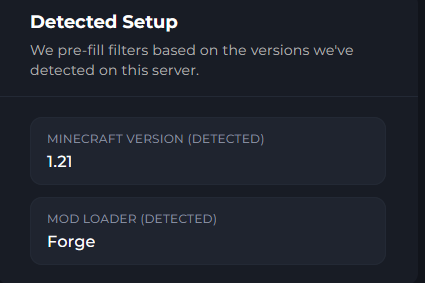
3 You can now look for the mod you wish to use, and selects the mods version.

4 From there, click install and the mod will be installed on your server.

5 Follow the Install popup modal to install the mod.
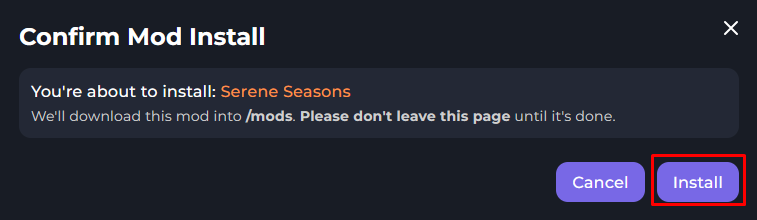
6 You will now see a progression bar, once the progression bar hits 100%, the mod will be installed.

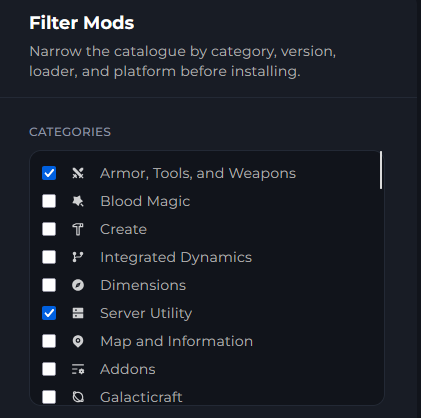
Filters
The Mod Installer allows you to Filter for specific mods, whether it being Biome Mods, Build Craft Related mods, you can select a filter for your needs.
Common Issues with Mods
Dependencies - Some mods have Dependencies which are required for some mods to work together, make sure to take a look at the mods description for any dependencies it might have.
Versions - Mods will have different versions for Minecraft. In some cases, a version will work for an older version of the game. However, it's always best to use the version that your server supports.
Failing To Load - When mods fail to load, there is most likely an issue with the mod, with this you can either find a different working version or remove it from your server.
Client Only Mods - Some mods are client only, this means they Will Not work on servers, make sure to look at their descriptions to see if they are client only or not.
Versions for Loaders - You are most likely using Forge, Fabric, Neoforge or Quilt. These are some of the most popular loaders for Minecraft. Make sure your mod supports these versions for the loader & game version of Minecraft you are playing and loading the server.
Failed to load Datapacks - In some rare cases, in your servers console, a message about datapacks or something similar may appear. In this case, you may need to delete your world fr
on the File Manager, or reupload the mods you disabled / deleted.