
In this guide
Exporting the Modpack on CurseForge
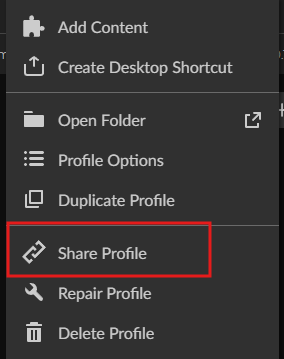
Click the three dots on the modpack.

Click Share.
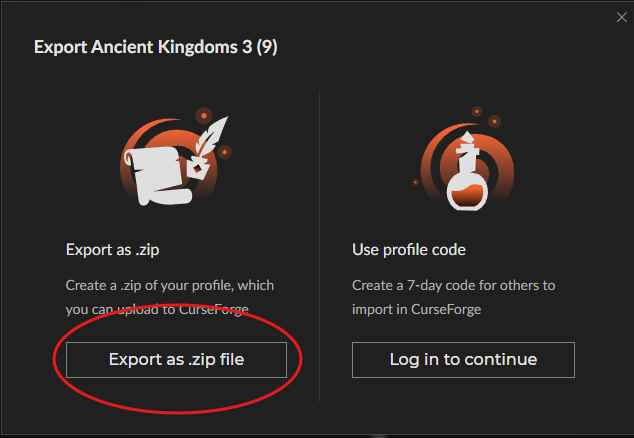
Click Export as Zip.
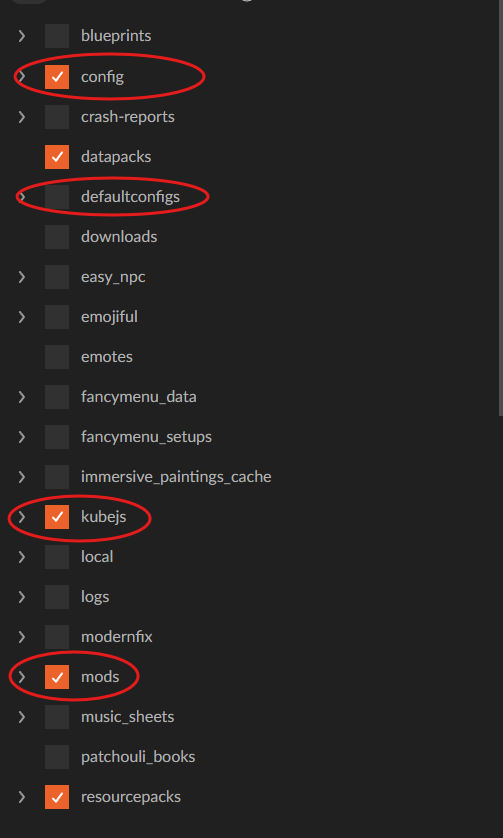
Select the needed files; make sure Mods, Config, Scripts, Kubejs, and defaultconfigs are selected if they exist.
Click Export

Save the file as a zip.
Exporting the Modpack on Modrinth
Once you have your Modrinth Modpack, Right Click and click on View Instance.
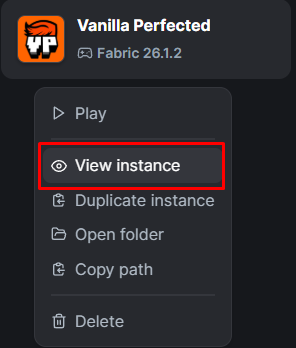
Then. click the 3 Dots in the Top right, and click on Export Modpack.

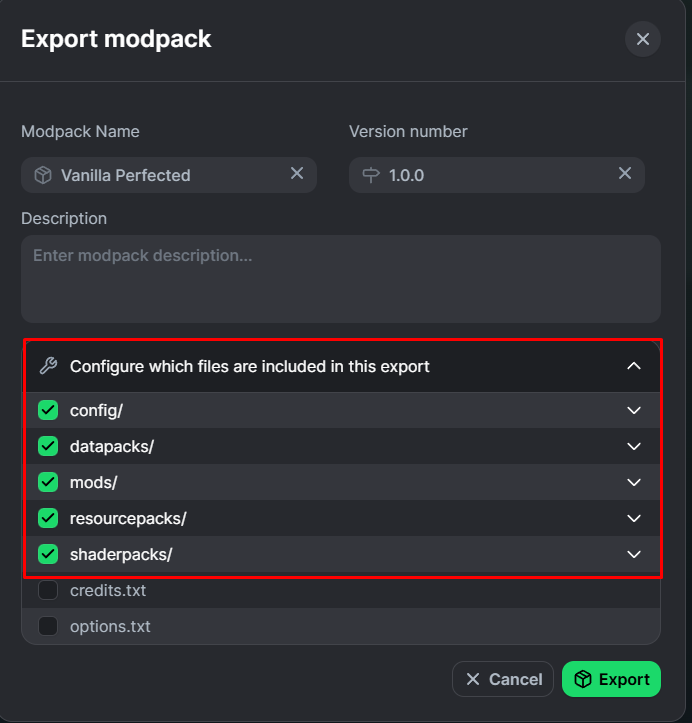
From there, a new Modal should appear, you'll want to select the Modpacks Important Files that it would need to work properly.
Once all of this is selected, click on the Green Export button, this will export the Modpack to your computer.
Importing a CurseForge Modpack.
Once the backup is complete, go to "Installers", then "Modpack Importer".
-1772391101173.png)
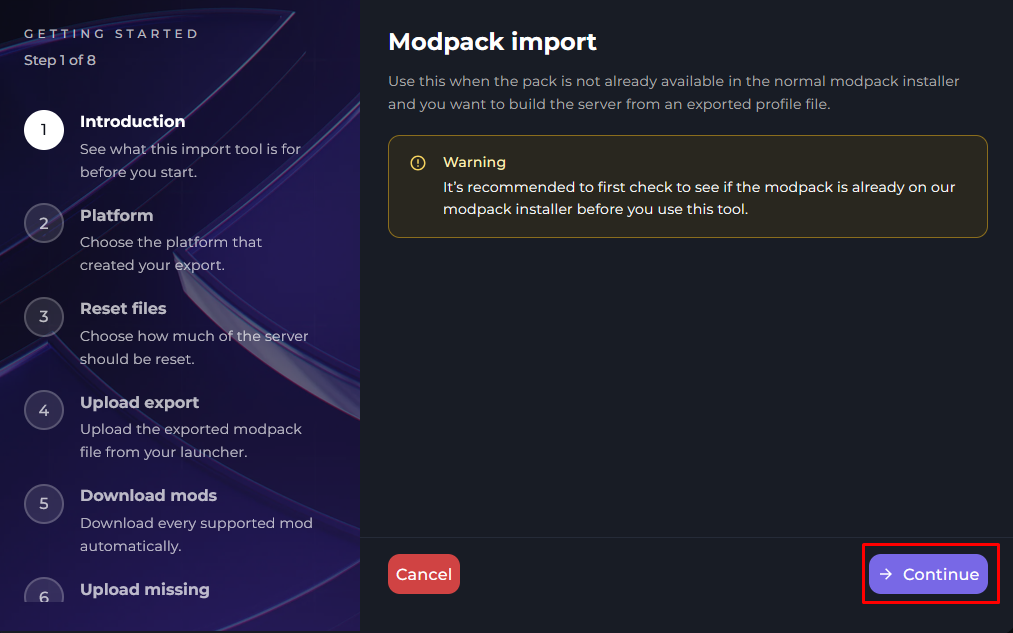
You will now receive a Modal to navigate you through the steps, make sure to click Continue.
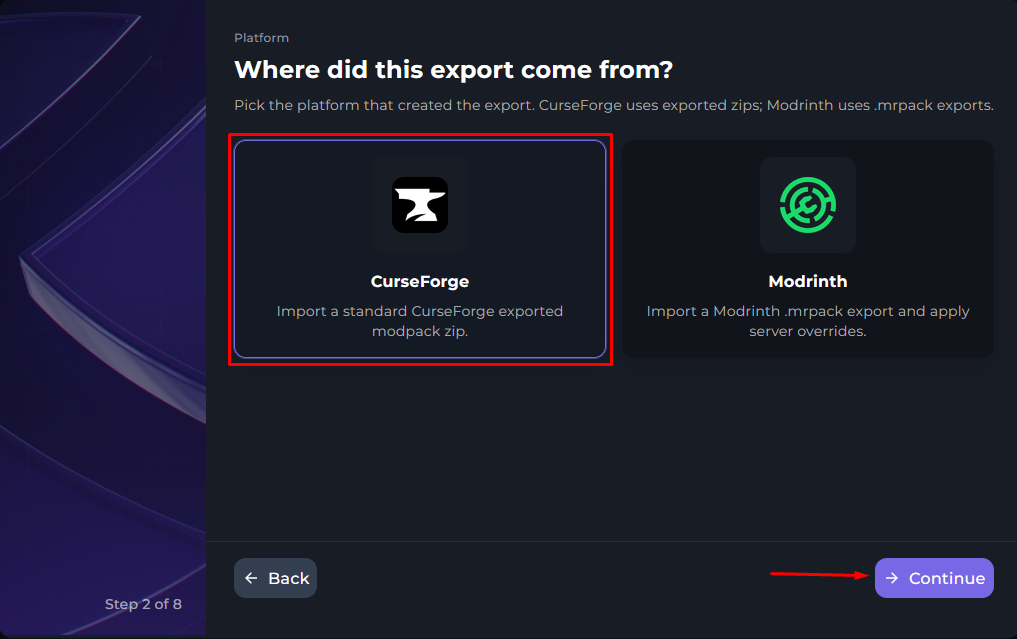
Now, you will select your Platform, in this portion of the guide, will be selecting CurseForge.
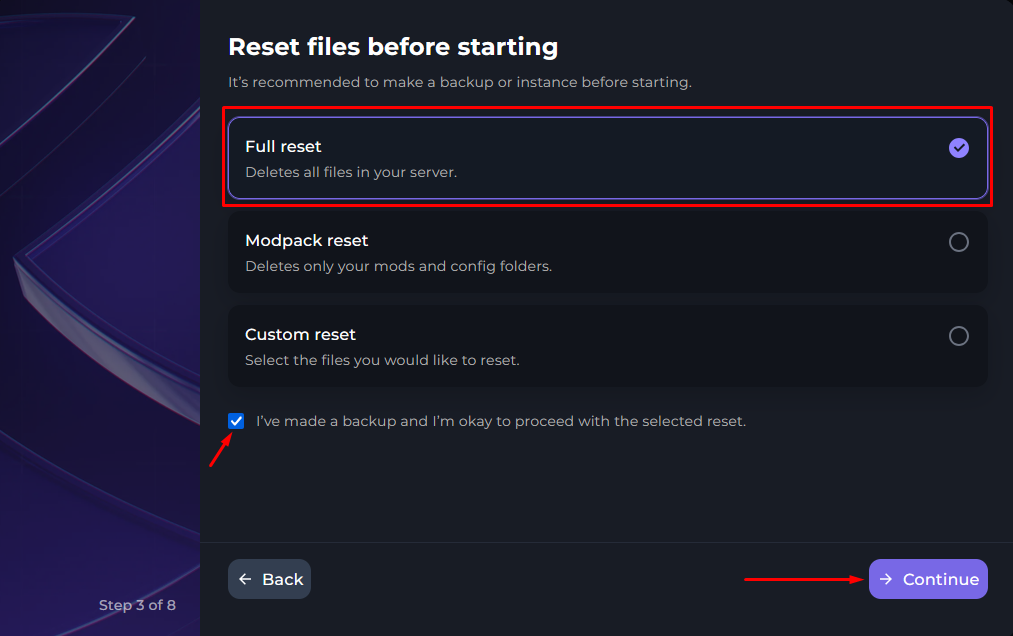
In this instance, we are installing a brand new Modpack on the server, so we will be selecting Full Reset. Although, if you are just updating your modpack, you can Select Modpack reset or Custom reset.
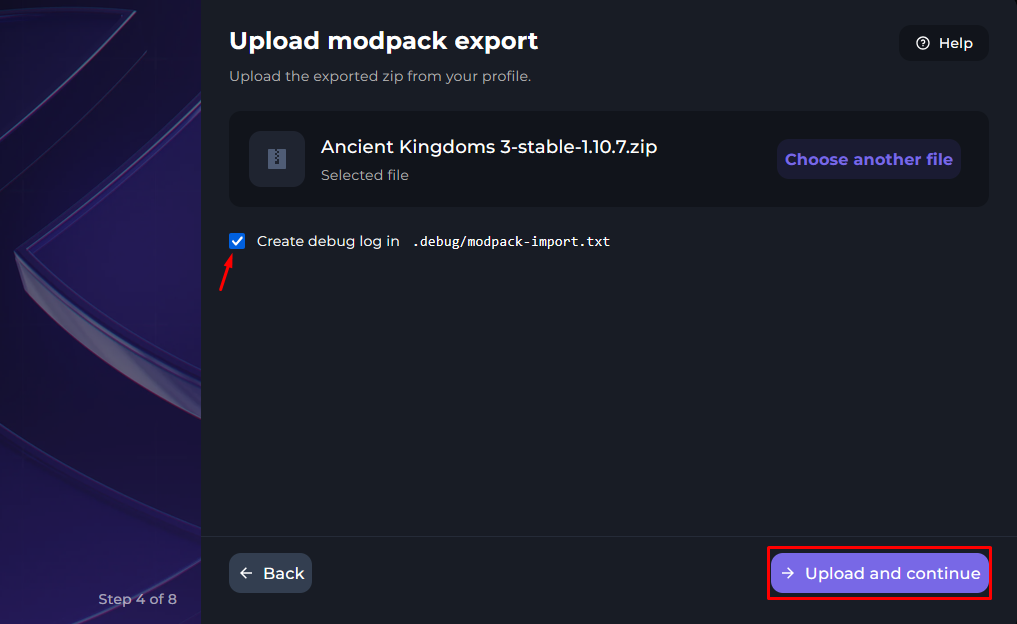
Find the Modpack Zip that was exported on your computer and click on Upload and continue.
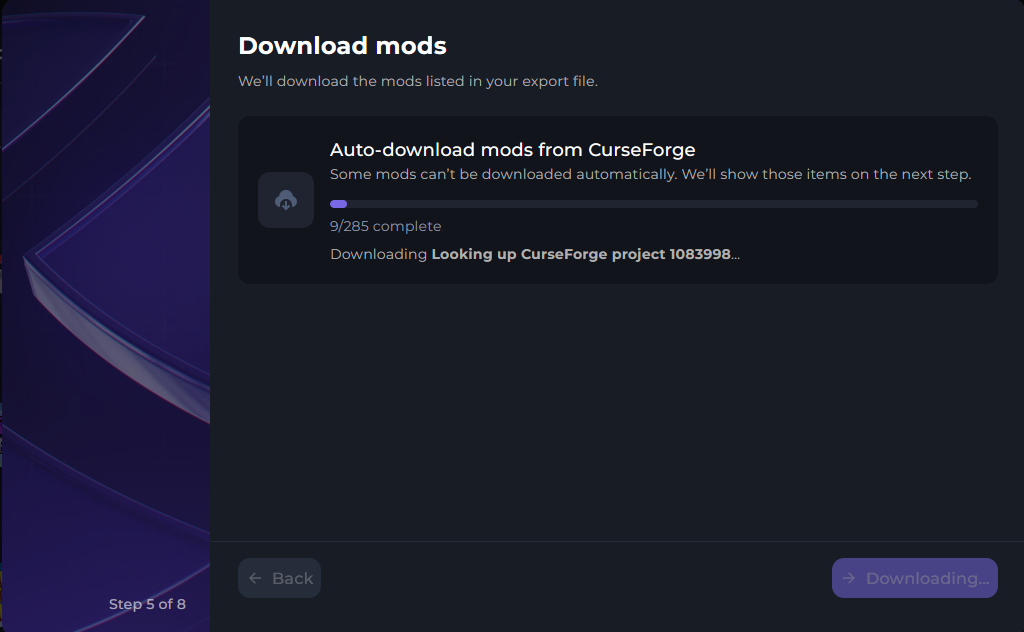
You will now see a modal which will download all of the necessary files for the Modpack.
Once everything in completed, a new modal will appear, this will show you that something might've been skipped, these are more than likely client side mods, but make sure to review everything carefully to ensure important mods were not missed during this process. Once everything is reviewed, click on Continue.
noticeMake sure to review everything on this step to ensure nothing is missing that your modpack may require.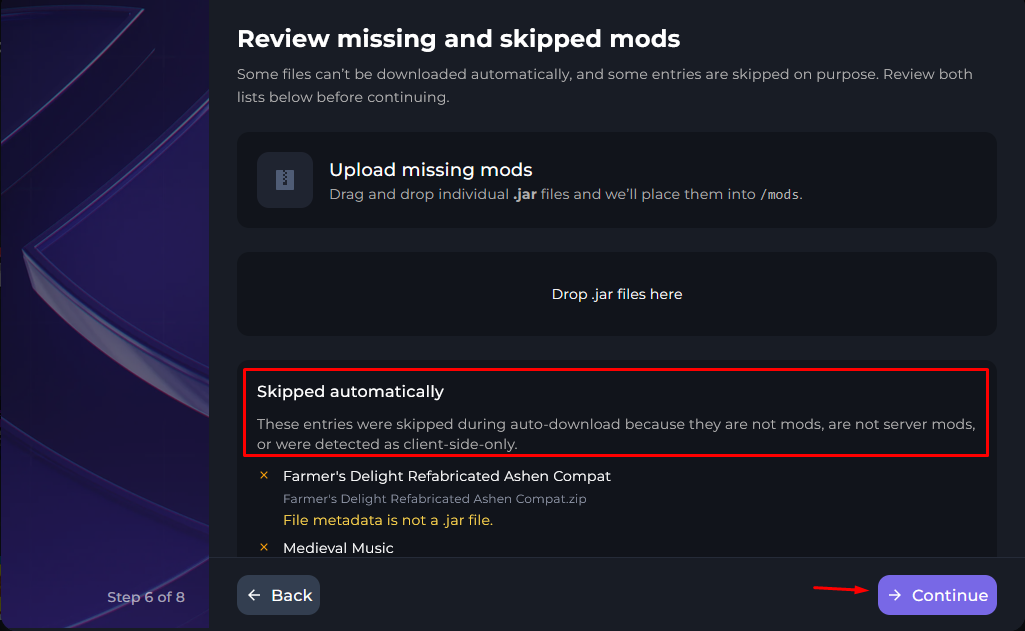
Now the Modpack Importer will run a Client Side mod scan, these mods are prone to crash servers, so it is important to make 100% sure these mods are client-side only. In this case, the Emojiful mod is Client Side & Server Side, so you would not need to disable it.
noticeMake sure to take a look at the scanned mods & double check if they are client side only or not on CurseForge. The best place to check is the Mod's description.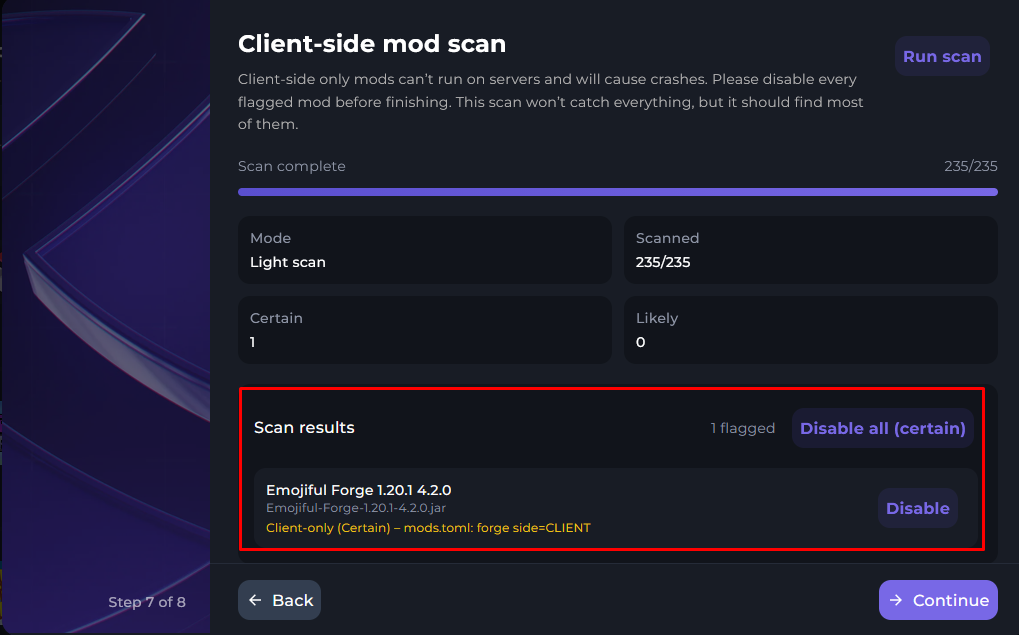
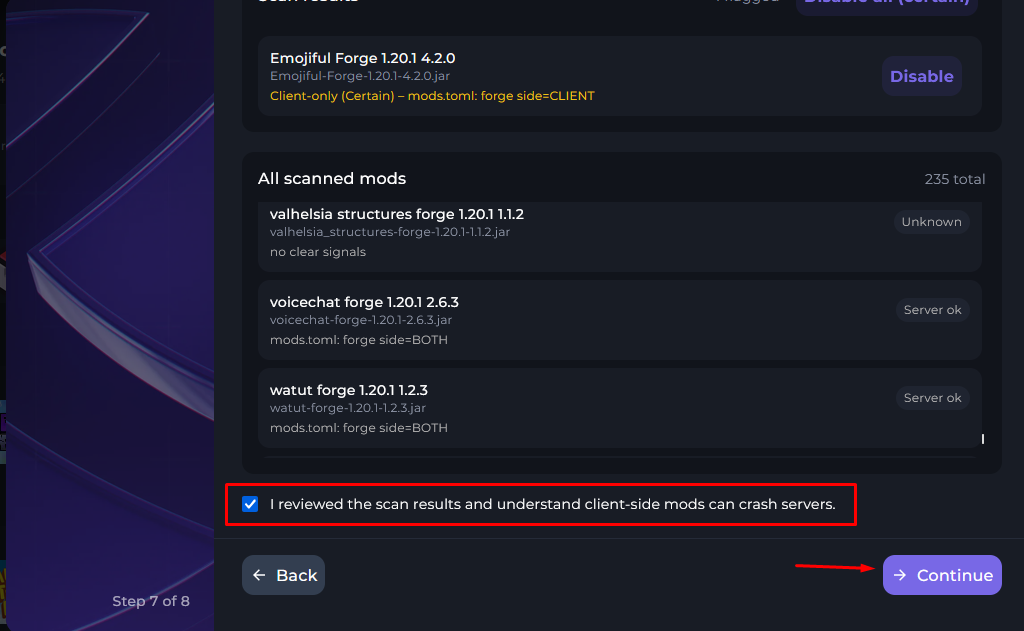
Now, click on the check box and click Continue. This will complete the full Modpack Import for CurseForge modpacks.
Importing a Modrinth Modpack.
Once the backup is complete, go to "Installers", then "Modpack Importer".
You will now receive a Modal to navigate you through the steps, make sure to click Continue.
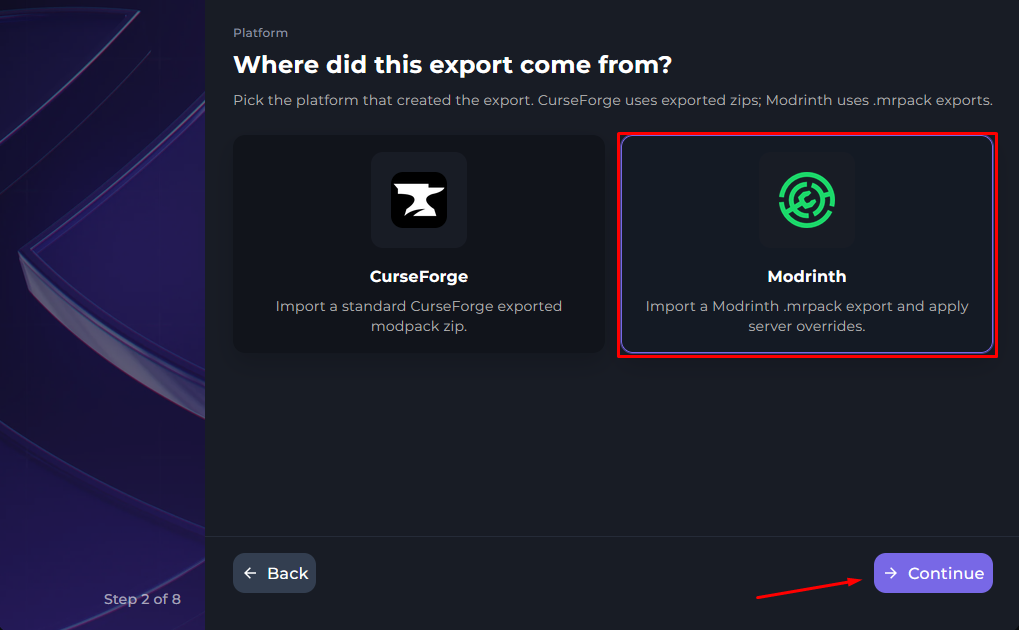
You will now want to select the Modrinth Platform for your Modpack.
In this instance, we are installing a brand new Modpack on the server, so we will be selecting Full Reset. Although, if you are just updating your modpack, you can Select Modpack reset or Custom reset.
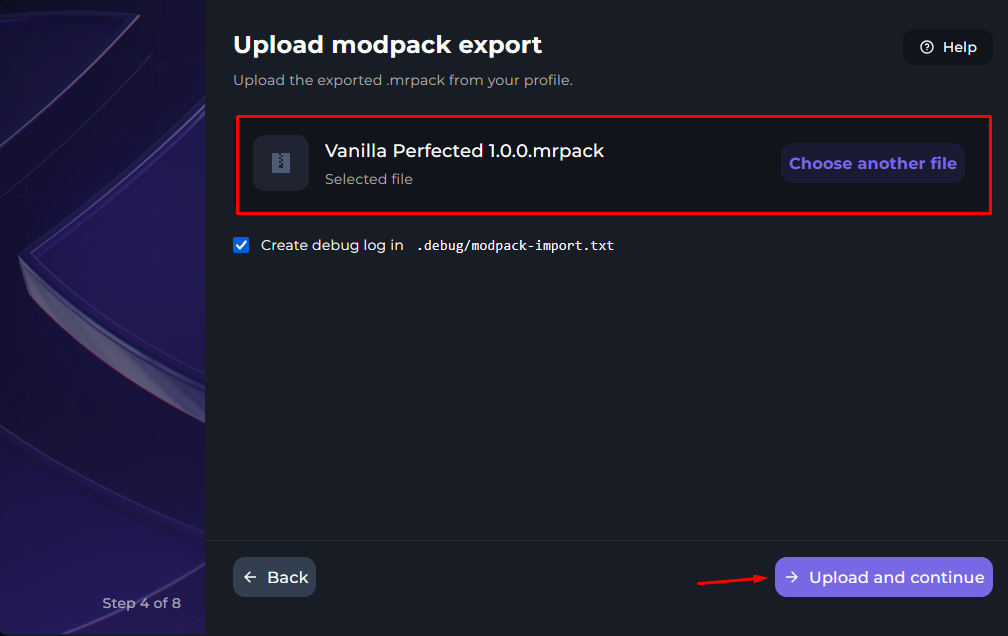
Find the Modpack Zip that was exported on your computer and click on Upload and continue.
You will now see a modal which will download all of the necessary files for the Modpack.
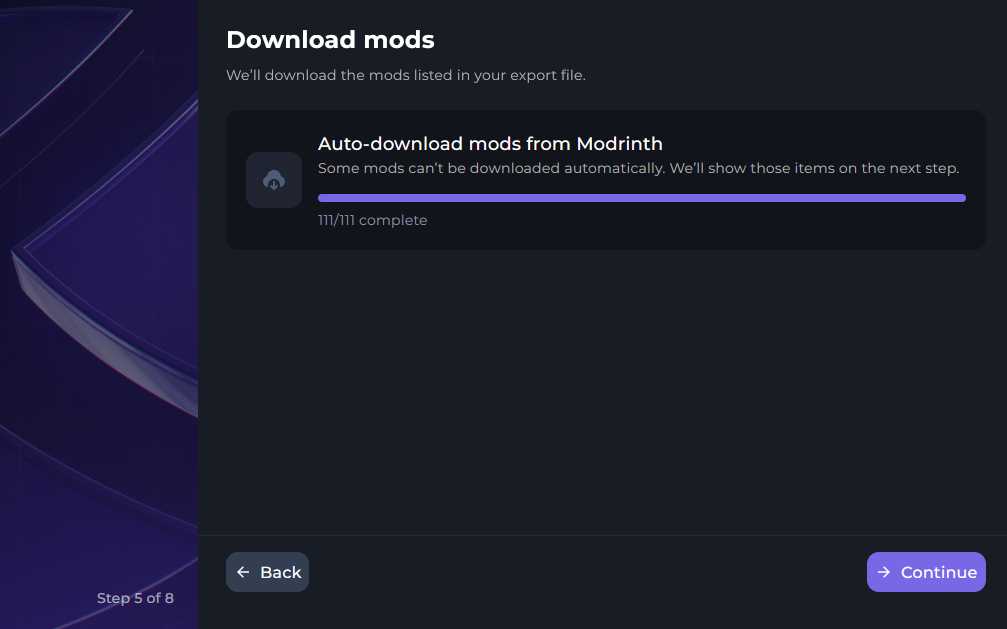
Once everything in completed, a new modal will appear, this will show you that something might've been skipped, these are more than likely client side mods, but make sure to review everything carefully to ensure important mods were not missed during this process. Once everything is reviewed, click on Continue.
noticeMake sure to take a l;ook at the scanned mods & double check if they are client only or not on Modrinth. The best place to check is on the Mod's description.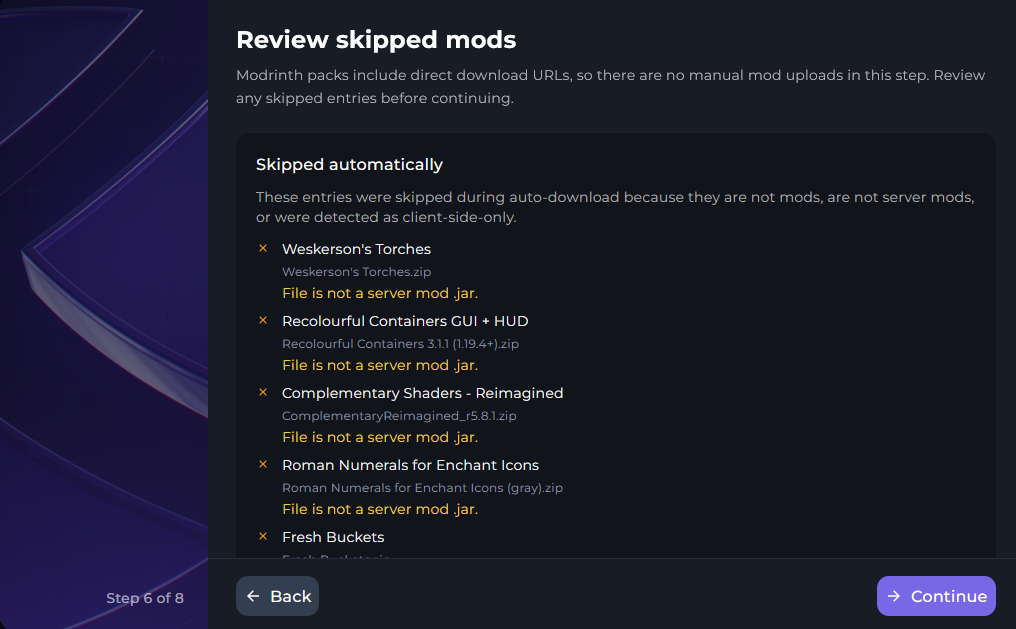
Now the Modpack Importer will run a Client Side mod scan, these mods are prone to crash servers, so it is important to make 100% sure these mods are client-side only. In this case, the Emojiful mod is Client Side & Server Side, so you would not need to disable it.
noticeMake sure to take a look at the scanned mods & double check if they are client side only or not on CurseForge. The best place to check is the Mod's description.Now, click on the check box and click Continue. This will complete the full Modpack Import for Modrinth modpacks.