How to use Modpack Importer
Last updated 07 Dec 2025
Exporting the modpack on CurseForge
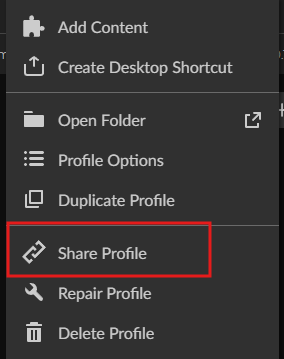
Click the three dots on the modpack.

Click Share.
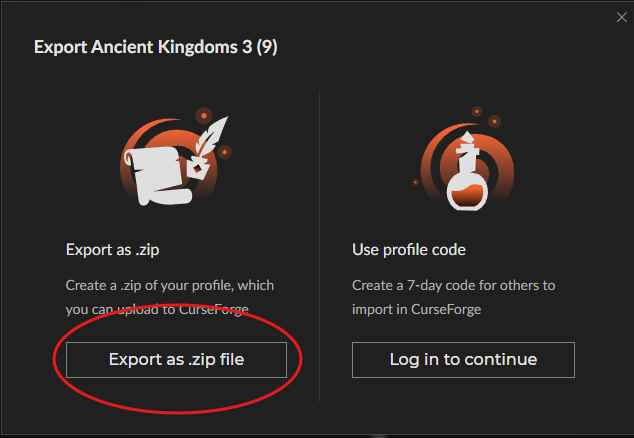
Click Export as Zip.
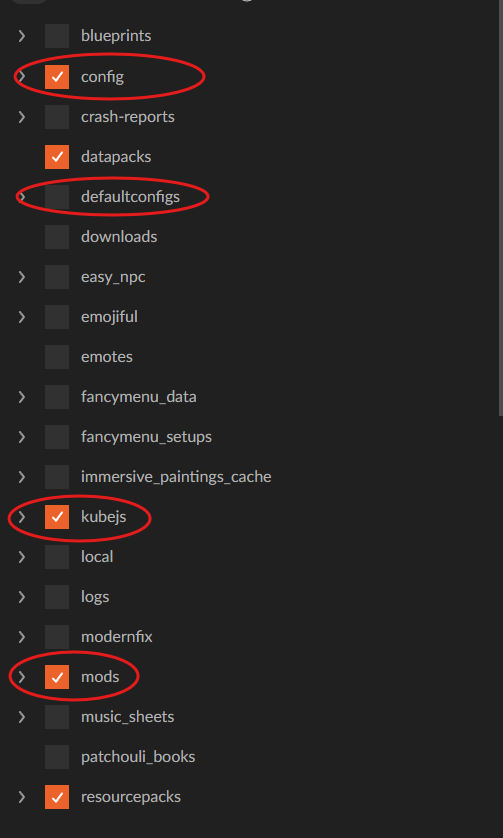
Select the needed files; make sure Mods, Config, Scripts, Kubejs, and defaultconfigs are selected if they exist.
Click Export

Save the file.
Using the Importer
Make a backup.
Choose the Source.
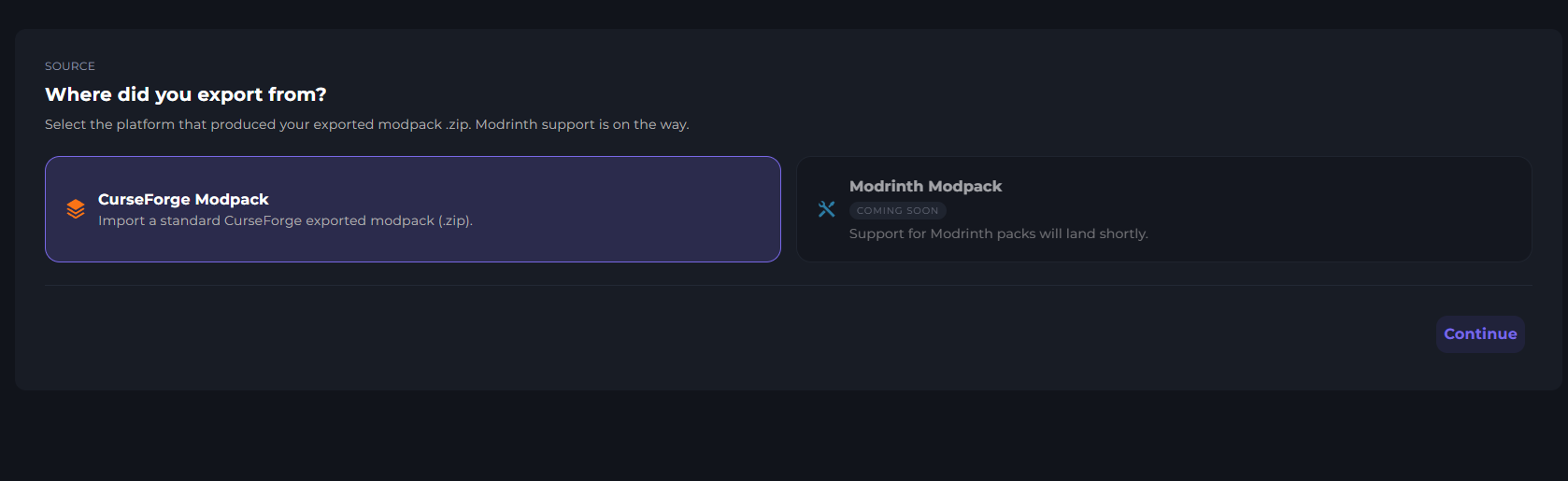
Click continue.

If this is a new pack, click Full reset. Otherwise, choose Modpack reset.
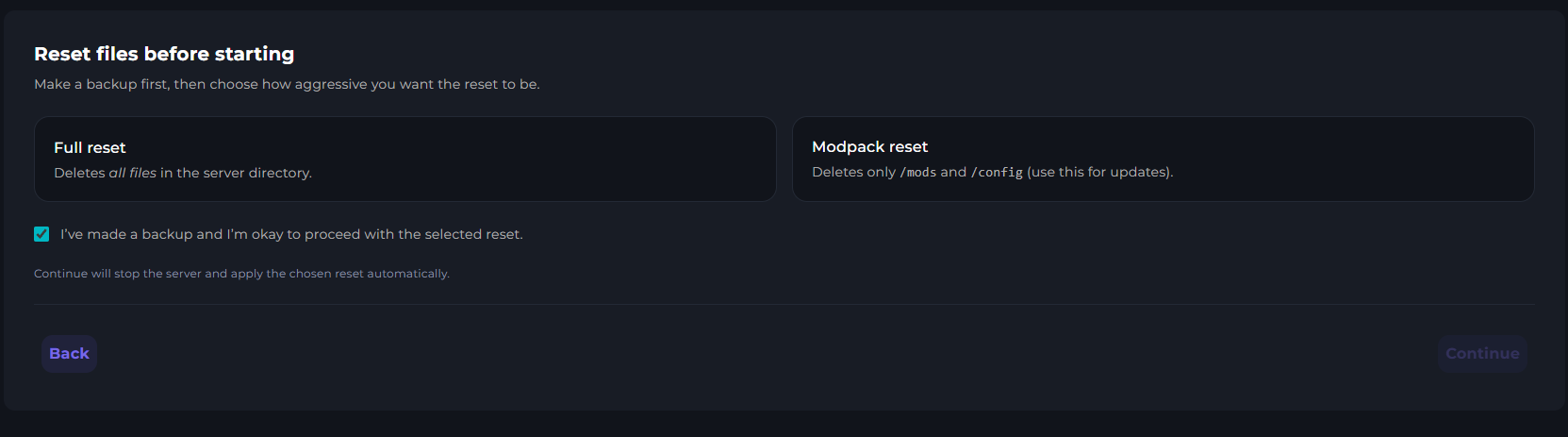
Choose the modpack export.
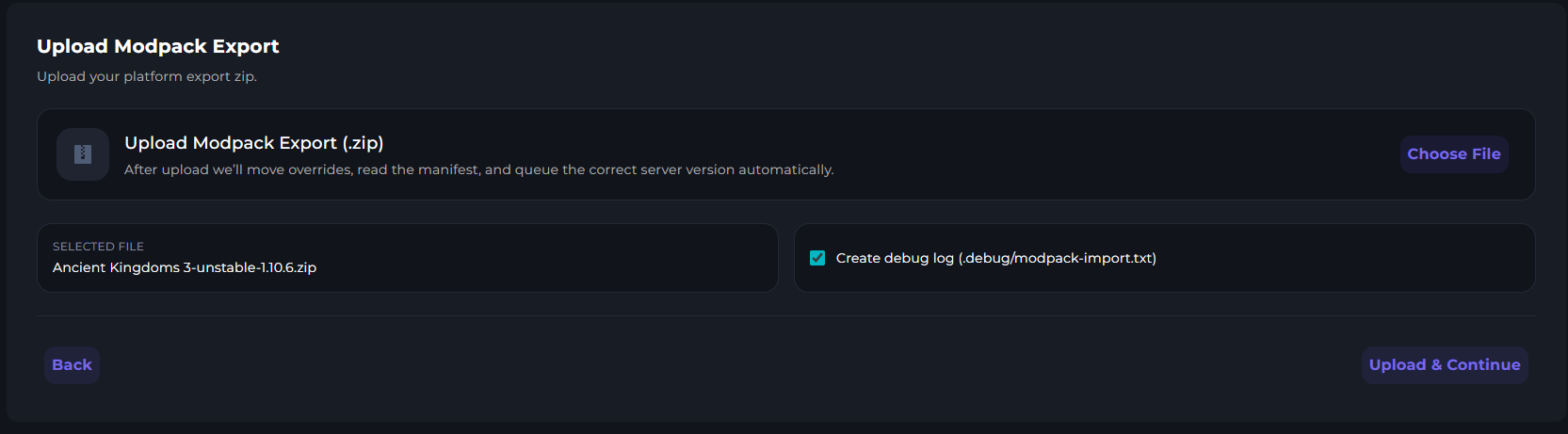
Click Upload & Continue.
Please wait for it to complete.
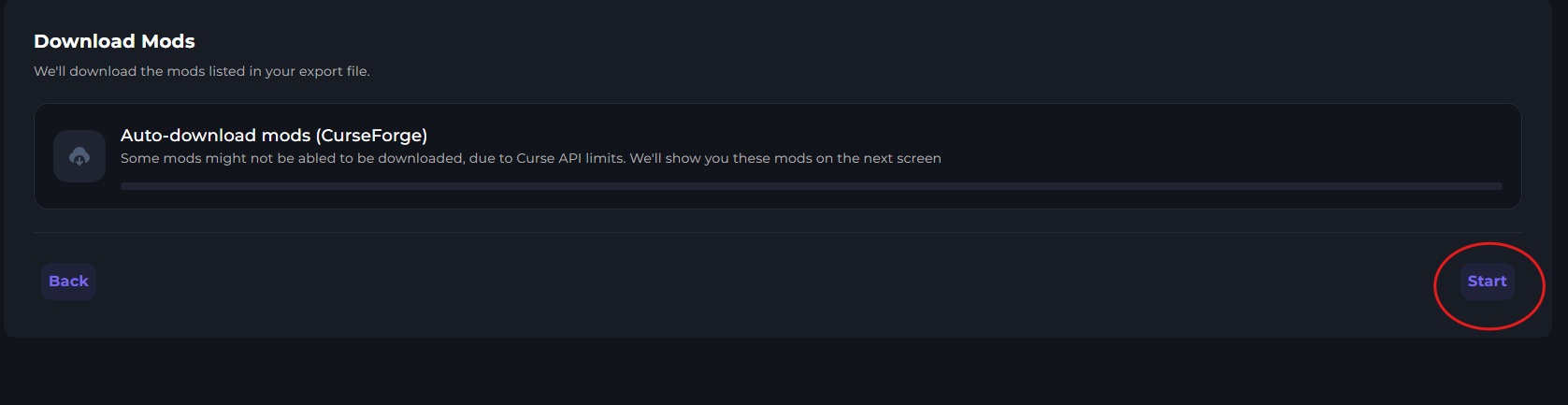
Click Start when it reaches the Download Mods step.
Download any missing mods and drop them into the box.
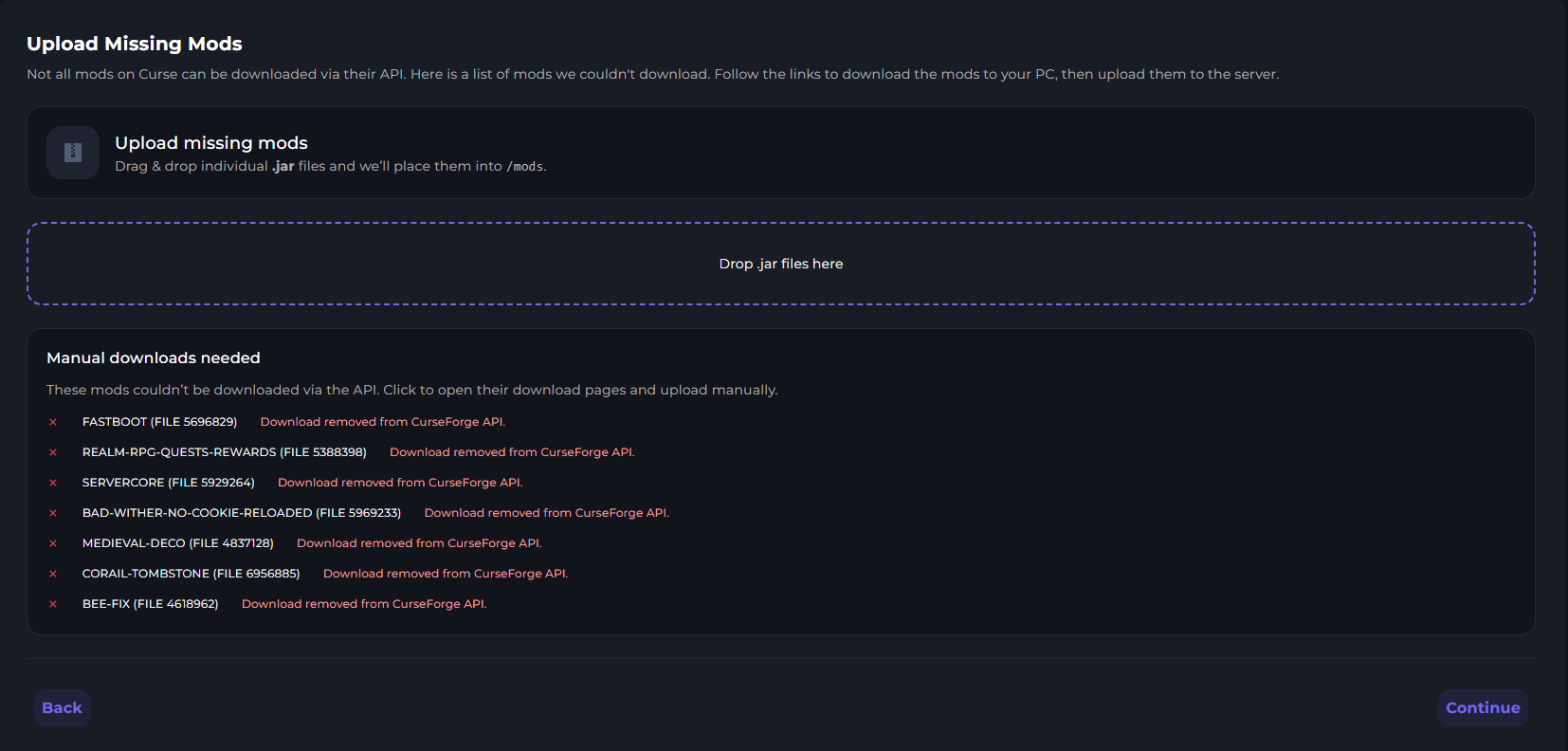
Click Continue.
Wait for the Client mod scan to complete.
Click Disable Certain.

Read and accept the disclaimer.

Click Continue
Wait for the installer to finish.