How to install mods on a Hytale Server
Last updated 07 Feb 2026
Need a game server?
Spin one up fast with our feature-rich panel and seriously low prices.
Installing mods on your Hytale server
Modding Hytale is nice and simple. Mods only need to be installed server side.
As a server owner, you can install mods. Then, when your players join, the mods will be automatically installed to their client.
There are two ways you can install mods to your Hytale server. Uploading them via the files manager, or using the Kinetic Panels mod installer.
Installing mods via Mod Installer
On the left side of the panel, open "Hytale Mod Installer"
-1770487317812.png)
In the Mod Installer Menu, you'll have the option to search for mods you'd like to install. You'll also be able to use the "Filter" feature to find mod categories you're interested in.
-1770487759521.png)
-1770487795497.png)
Installing Mods via File Manager/Mod Manager
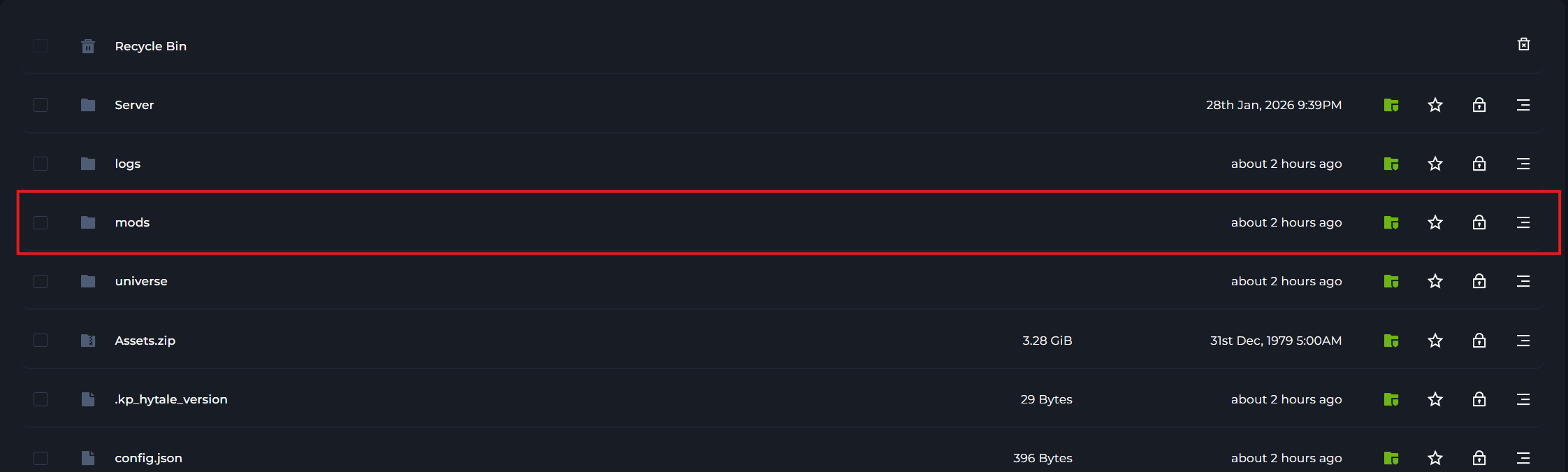
To upload mods to your server head to the file manager. In here you'll find a folder called mods. All mods should be a jar or zip folder, don't unarchive the zips, keep them as zip files. Once you've uploaded all your files, reboot the server.
Login to your Kinetic Panel
Stop your server by clicking the power button, then click the square icon.
-1767383729764.png)
Go to File Manager. Alternatively, you can just open the mod manager.
-1770486606909.png)
-1770487895813.png)
If you opened file manager, open the mods folder.
You may be met with the mod manager menu. You can either upload your mods directly by clicking the upload button and select the mods, or you can swap to files.
-1769974261998.png)
In the files page, you can either drag and drop your mods to the folder, or click the upload button on the top right, and select the mods that way.
-1769974289057.png)