
In this guide
Changing your Ark Server Settings can be helpful if you want to speed up egg hatching time, breeding times & many more settings within Ark Survival Evolved.
GameUserSettings.ini
The GameUserSettings.ini will allow you to have options to change specific multipliers and other features within Ark Survival Evolved.
1 Login to the Kinetic Panel & Stop your server.
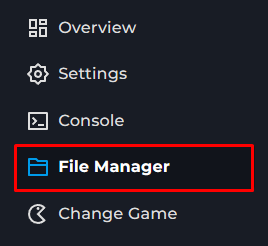
2 Go to the File Manager.
3 Navigate through the following Files ShooterGame > Saved > Config > LinuxServer.

4 You will now see the GameUserSettings.ini file, this is the file you will edit and make changes to.

5 For an example, If you wanted to change the ItemStackSizeMultiplier, you can make the 1 a different number of your choice.

If you want something more customized, you can use a UI config generator, then paste it in your GameUserSettings.ini. Just make sure to keep the [ServerSettings] Box and everything in the other groups as well.
Here you can make any changes to your servers values that you would like, If you are looking to change the Egg Hatching time for an example, you will need to change this in the Game.ini file.
Game.ini
1 Login to the Kinetic Panel & Stop your server.
2 Go to the File Manager.
3 Navigate through the following Files ShooterGame > Saved > Config > LinuxServer.
4 You will see the Game.ini file, you can open that.

5 This file will be empty, you will need to paste in the following script: [/script/shootergame.shootergamemode] in order for your custom settings to work.

6 If you wanted to change the EggHatchSpeedMultiplier, you will put in the box EggHatchSpeedMultiplier=1.00000. and replace the 1 with a 2.

Server Configuration Types
Argument | Value |
|---|---|
Float | Floats are a value with a decimal, an example float would be: |
Boolean | Booleans allow you to set a setting |
Integer | Integers are a solid number or value without a decimal point in it, a default integer could be |